

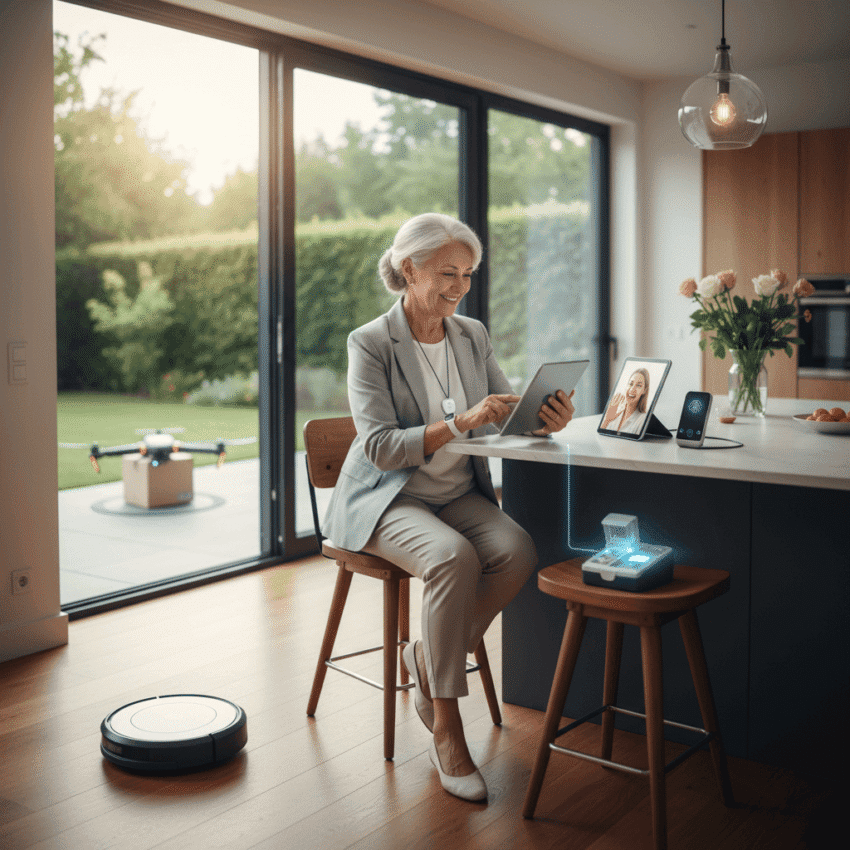
How Can Tech Support Seniors Remaining Independent is a question families and care professionals ask more often as the population ages. Technology offers a range of options that help older adults live in their own homes longer while keeping daily life predictable and safer. This article unpacks practical tools and straightforward steps that match real needs with simple tech choices.
I will cover common categories of devices and services, real world examples of success, and clear tips for setup and ongoing use. The aim is to make the topic usable for someone choosing equipment for a parent or for a service provider designing options that respect privacy and dignity.
Communication and connection tools that feel familiar
Many seniors value staying in touch with family and friends. Clear improvements in quality of life come from devices that reduce friction. Practical examples include large button phones, tablets with simplified home screens, and video calling devices that hang on a wall or sit on a table for easy access.
- Choose devices with large fonts and high contrast to reduce eye strain
- Preload contact photos so a single tap starts a call
- Set up recurring video calls that prompt both parties with an alert
Families can schedule brief training sessions to build confidence. Instead of overwhelming a senior with every app, focus on two ways to stay in touch and keep other features hidden or turned off.
Health monitoring that respects privacy and comfort
Remote health tools range from wearables that track steps and heart rate to devices that remind users to take medication. For many seniors, the choice is about comfort and minimal intrusion. Select hardware that is lightweight, water resistant, and has a battery life that fits a realistic charging routine.
Wearables and fall detection
Wearable devices with fall detection can call a preset contact or emergency service when a hard fall is detected. Review how alerts work and who is contacted before relying on a device for safety. For example a watch that needs to detect no movement after a fall may send fewer false alarms than a sensor that triggers at the slightest stumble.
Medication and symptom tracking
Simple pill reminders on a phone or a dedicated pill box with alarms reduce missed doses. For chronic conditions, apps that create a daily log of symptoms and medication times provide useful data for doctors. When selecting apps choose options that export data into readable formats for clinical visits.
Home safety systems that are helpful without being intrusive
Home sensors and smart plugs can prevent common hazards. For seniors, the best systems are those that act quietly and require minimal interaction. Key features to consider are automatic updates that do not interrupt the user and clear indicators that a device is functioning.
Smoke carbon and stove monitors
Upgraded smoke alarms with voice alerts and lights are easier to interpret than old beeping units. Stove monitors can shut off a gas supply or trigger an alert if a burner has been on for too long. Place sensor controls within easy reach and explain how alerts will be handled.
Entry and mobility sensors
Door sensors that report unusual patterns can alert caregivers to changes in routine that might indicate a problem. Motion sensors placed in key rooms can offer a low friction way to spot odd behavior without installing cameras. For seniors who use a mobility device, make sure thresholds and furniture layout do not obstruct movement and that any motorized devices are charged and maintained.
Digital literacy training that builds confidence
Learning to use new tools is often the biggest barrier. A few short practice sessions with a friendly helper go further than a long manual. Use checklists and repeat common tasks until they become routine. Tips that help include creating a simple cheat sheet with step by step prompts for frequent actions and labeling cables and chargers to remove guesswork.
- Keep interface layouts stable to avoid confusion
- Use voice control sparingly if speech patterns cause errors
- Practice emergency routines until they feel automatic
A local library, community center, or a tech volunteer program can provide one on one help. You can also find designers and writers focused on making technology more respectful of older adults which is useful when selecting products or services for long term use learn more
Privacy security and data handling that seniors can trust
Privacy concerns are real. Many seniors worry about being tracked or leaving personal information exposed. Prioritize devices with clear privacy policies and options to limit data sharing. Wherever possible keep data storage local and set strong passwords or use a password manager chosen with the user.
- Limit app permissions so only necessary features are enabled
- Turn on two factor options when available and easy to use
- Regularly check which devices are connected and remove unused ones
When a device collects health information clarify who will see that data and how long it will be stored. Explain permissions in plain language and give the senior control over notification settings and contacts who will be notified in an emergency.
Cost decisions and funding options for sustainable choices
Budget matters. Not every useful product is expensive and not every expensive product is a good fit. Look for goods with long warranties and clear support channels. Consider refurbished models from reputable sellers that undergo inspection and come with a short warranty period.
There are also community programs and grants in many areas that help with home safety modifications and technology for older adults. Local aging agencies or nonprofit organizations often maintain lists of resources and can help with paperwork for funding programs.
Practical setup and maintenance routines for long term success
Installations that work best combine an initial setup session with scheduled check ins. A one hour setup should cover physical installation charging cycles account setup and an emergency drill. After that plan a short check every month to update software tidy cables and confirm battery levels.
- Create a short written guide that outlines charging routines and who to call for help
- Label chargers and keep a spare in a known location
- Set calendar reminders for monthly checks
Working with caregivers and family without taking over daily life
People want to keep as much control as possible. Technology should support independence not replace it. Work with the senior to establish boundaries about when family can intervene and what signals indicate something is wrong. Shared calendars and simple status messages work well to indicate how a day went without detailed monitoring.
When family members are remote set up brief check in routines that are predictable. For example a single daily message that reads yes everything is fine can reduce worry and avoid intrusive surveillance. If a device triggers an alert plan who will respond first and what the steps are so the senior understands how help arrives.
How Can Tech Support Seniors Remaining Independent is not a single product choice it is a small system of decisions that match tools to habits. Start small pick two or three tools that meet immediate needs and expand based on comfort and results. Prioritize explanations that use plain language and set expectations about what technology will do and will not do.
Conclusion paragraph summarizing main ideas and encouraging action
In summary technology can play a valuable role in helping older adults keep their independence while keeping family members reassured. Focus on devices and services that are easy to use comfortable and predictable. Prioritize communication tools health monitoring options and simple home safety upgrades. Pair each device with a brief training session and a clear routine for maintenance. Address privacy by limiting data sharing and keeping passwords simple to manage. Start with a small pilot for one room or one problem and expand only after the senior is confident with the initial change. If you are choosing technology for a loved one begin by asking them which daily tasks they most want to keep doing on their own. That answer will guide practical choices and make adoption smoother. Take action today by making a short list of priorities conducting one trial setup and scheduling a monthly check in. If you need a design perspective that considers dignity and usability the linked resource above offers research and examples that many readers find helpful. Reach out to local services for hands on help and create a plan that values independence while keeping safety visible and simple.